
Table of Contents
ToggleWhat Is Study Island? A Beginner’s Learning Tool
Getting Started with Study Island
Many students feel nervous when teachers first mention online learning programs. You might wonder if those programs are too hard or confusing to use. Study Island is different because it was built to be simple and friendly for all learners. Think of it like a digital playground where you practice school subjects instead of swinging or sliding. This guide will show how this tool works and why so many schools trust it.
Study Island is an online program that helps students from kindergarten through high school. It covers important subjects like math, reading, science, and social studies. Teachers use it to give students extra practice on topics taught in class. The program turns learning into small challenges rather than long boring worksheets. Each question feels like a small step toward finishing a level in a video game.
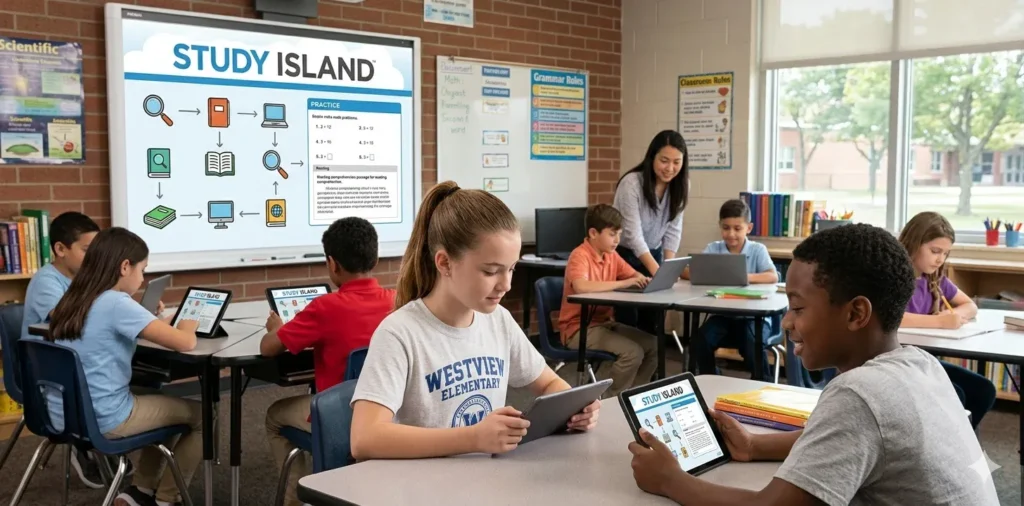
You do not need to be a computer expert to use Study Island. The design is clean with big buttons and clear instructions on every screen. Students can log in from a school computer, a tablet at home, or even a parent’s phone. Many children first meet the program in their classroom during computer lab time. After a few tries, most kids find that using it feels natural and easy.
How Study Island Helps Students Every Day
Imagine you come home from school and forgot how to do fraction problems. Instead of feeling stuck, you open Study Island and find a lesson on fractions. The program shows example problems and then lets you try similar ones at your own pace. If you pick a wrong answer, it does not just say “incorrect.” It explains why the right answer makes sense and where the mistake happened.
This kind of help is like having a patient tutor sitting next to each student. Many children like that they can practice without feeling embarrassed about mistakes. The tool keeps track of every question answered correctly or incorrectly. Then it shows the teacher which skills a student mastered and which ones need more work. That way the teacher knows exactly what to focus on during class time.
Real life example: A fifth grader named Maria struggled with reading long passages. Her teacher assigned specific reading exercises on Study Island for twenty minutes each day. After two weeks, Maria finished more questions correctly and felt proud of her progress. Her mother noticed that Maria no longer complained about reading homework. Maria said the program made the stories interesting and the questions fair.
Breaking Down the Main Features
Study Island offers several tools that make learning smoother for every student. One key feature is the practice mode where you answer questions at your own speed. There is also a test mode that feels like a real exam without the pressure. Teachers can choose which mode works best for each student or group. Some children use practice mode first and then switch to test mode later.
Another helpful part of the program is the built-in explanation for each answer. When a student gets a question wrong, a small box pops up with a clear lesson. This lesson uses plain language and sometimes shows pictures or examples. A student can read the explanation right away while the question is still fresh in the mind. This method helps learners correct mistakes immediately instead of repeating them.
Study Island also rewards students with badges and game tickets for good work. Each time a student finishes a topic or passes a certain score, small prizes appear inside the program. These little rewards keep students motivated to practice day after day. Some students compete with their own past scores rather than against classmates. That way every student can feel successful without worrying about beating others.
Why Teachers and Parents Like Study Island
Teachers appreciate that Study Island saves time on grading papers. The program automatically checks every answer and updates student records. A teacher can log in and see which students finished their assignments and how well they did. This information helps teachers plan small group lessons for students who need extra help. They can also find students who already mastered a skill and give them harder challenges.
Parents find the tool useful because it shows exactly what their child learns in school. You can sit with a child and look at progress reports together. The reports use simple charts and colors to show strengths and weaknesses. A green check mark means the child understands that topic well. A yellow dot means the child needs a little more practice on that skill.
Real life example: A father named James checked his son’s Study Island report every Friday. He saw that his son kept missing questions about measurement units like inches and feet. James spent ten minutes each weekend measuring furniture and toys around the house. His son practiced by saying “this pencil is six inches long” for real objects. Soon the test scores on the program improved because learning happened at home too.
Using Study Island for Test Preparation
Many schools use Study Island to prepare for big state tests at the end of the year. Those tests can feel scary because they cover everything learned over many months. The program breaks down each subject into small topics that students practice one at a time. By the time test day arrives, a student already answered hundreds of questions on every topic. This steady practice builds confidence and reduces nervousness about the real exam.
Questions on the platform look very similar to questions on actual state tests. Some questions ask a student to pick one answer from four choices. Other questions ask a student to click on a sentence in a paragraph or drag items to match. Because a student practiced these question styles before, they feel familiar during the real test. Familiarity helps a student stay calm and focus on thinking instead of panicking.
Teachers can set up a practice test inside Study Island that copies the real exam length. Students take this practice test under timed conditions to build stamina. After finishing, the program shows which types of questions caused the most trouble. Then students spend extra time on those weak areas before the official test. This smart approach turns test preparation from guessing into targeted practice.
Simple Tips to Get Better Results with Study Island
First, set a regular time each day for using the program. Fifteen minutes every afternoon works better than two hours once a week. Short daily practice helps the brain remember information more strongly. Find a quiet spot where you will not be distracted by television or loud noises. Consistency is the secret to seeing real improvement over several weeks.
Second, do not rush through questions just to finish faster. Read each question carefully and try to understand what it asks. If you feel unsure, use the explanation feature after answering. Even when you get a question right, read the explanation to learn extra details. This habit turns every question into a small learning lesson rather than a simple test.
Third, ask for help when you keep missing the same kind of questions. Study Island tracks which topics give trouble, so a student can show a teacher or parent. Together you can find a different way to learn that tricky topic. Sometimes watching a short video or using physical objects like coins helps understanding. Then return to the program and try those questions again with new knowledge.
What to Do When Study Island Feels Hard
Feeling stuck on certain topics is normal for every student. Even the best learners run into subjects that do not make sense at first. Study Island allows a student to go back to earlier grades and review basic skills. For example, if fractions in fifth grade feel impossible, review third grade fraction basics. Building a strong foundation makes harder problems much easier to solve.
A student can also ask a teacher to adjust the difficulty level inside the platform. Some students need easier questions to build confidence before moving to harder ones. Other students want extra challenge to stay interested and engaged. Teachers can change these settings for each student without any fuss. The tool adapts to each learner’s needs instead of forcing one fixed level.
Another helpful trick is to take a short break when you feel frustrated. Stand up, stretch your legs, drink some water, and then return to the screen. A fresh mind sees problems more clearly than a tired and annoyed mind. The program saves progress so a student never loses work when stepping away. Learning works best when a student stays calm and patient with oneself.
Conclusion
Study Island gives students a clear and friendly way to practice school subjects every day. It replaces confusing homework struggles with small manageable questions and instant explanations. Teachers use it to see exactly where each student needs help without extra grading work. Parents can follow along with simple reports that show strengths and areas for improvement. With regular use, this tool turns difficult subjects into achievable steps toward success.
Students who spend a little time each day on the platform often see better grades and less stress. The program rewards effort with badges and game tickets that keep learning fun and motivating. Real life examples show that children from many different backgrounds improve with this resource. Whether a student prepares for a big test or simply wants to get better at math, Study Island helps. Give yourself fifteen minutes today to try it and watch your skills grow one question at a time.