
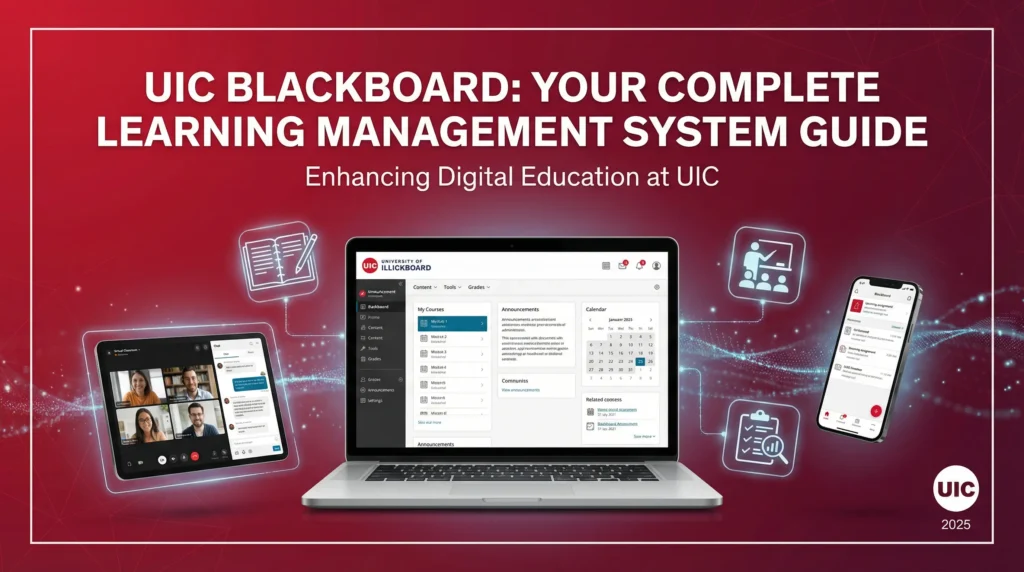
Blackboard UIC serves as the main online platform for courses at the University of Illinois Chicago. Students and faculty rely on it for managing class materials, turning in assignments, and tracking progress. The system creates a secure space where education continues beyond physical classrooms. Instructors post lectures, quizzes, and discussions, while learners find resources at any time. This setup fits well with busy schedules in a large urban campus like UIC. As of January 2026, the university transitions toward a new tool, yet Blackboard stays in use for current terms. People often look up Blackboard UIC to figure out login steps or feature uses. The platform includes tools for communication and assessment that make teaching smoother.
Table of Contents
ToggleUnderstanding Blackboard UIC
Basic Overview
Blackboard Learn acts as the central learning management system at UIC. Faculty and students use it for course activities and grade tracking. Access happens through a web address specific to the university. The platform handles enrollments automatically, adding people to courses based on registration data. Instructors control when sites become available to participants. Two views exist: Original and Ultra. Original offers detailed tools for organization, while Ultra provides a modern interface with similar functions. Courses get created ahead of semesters, giving time for setup. Storage limits apply per course to keep things manageable. Archival occurs for old sites after three years, removing access to past content. This structure supports both in-person and online classes effectively. Users appreciate the way it integrates with other university systems for seamless operations.
Role in Education at UIC
At UIC, Blackboard plays a key part in blending traditional and digital learning. Instructors enhance face-to-face sessions with online supplements like readings or videos. For blended courses, it delivers content and assessments alongside classroom time. Fully online programs depend on it for all interactions and evaluations. The system ensures privacy for sensitive information under rules like FERPA. Group spaces allow collaboration without sharing personal details. Restrictions prevent unauthorized views of grades or work. Communication stays within the platform to maintain security. This approach fits the diverse student body at UIC, including commuters and working professionals. Faculty find it useful for posting announcements and facilitating discussions. Learners benefit from flexible access to materials. Overall, Blackboard strengthens the educational experience by connecting people across the campus community.
Accessing the Platform
Login Steps
To enter Blackboard UIC, users go to uic.blackboard.com in a web browser. The common password completes the process. Supported browsers include recent versions of Chrome, Firefox, Edge, or Safari. JavaScript and cookies need activation, while pop-up blockers require deactivation for full function. Recommendations point to Firefox or Chrome for best performance. Once inside, the dashboard shows active courses and updates. Automatic enrollment links registrations to sites within 48 hours. If issues arise, checking browser settings often resolves them. This method keeps access straightforward and secure for everyone involved.
Mobile Access
A smartphone app extends Blackboard UIC beyond computers. Students download it from app stores to stay connected on the go. Notifications alert about new assignments or messages. Participation in activities happens directly from the device. Grades appear in real time for quick checks. Offline mode allows downloading content when connected, with sync occurring later. This feature suits commuters or those with limited computer time. Instructors access a separate app for grading and content views. Both apps support collaboration tools like discussions. Users report easier engagement through mobile options. The setup integrates with university credentials for simple login. Regular updates improve speed and reliability.
Main Features for Students
Course Content Navigation
In Blackboard UIC, course sites organize materials in clear menus. Learners find syllabi, lectures, and readings grouped by topics. Instructors add text, videos, or interactive elements. Tools like the content editor make items engaging. External resources integrate through links or embeds. Navigation uses shortcuts for efficiency. Keyboard options speed up tasks for some users. Search functions locate specific files quickly. Folders structure large amounts of information. Announcements highlight important updates at the top. This layout reduces confusion in busy semesters. Students often praise the way it centralizes everything needed for success.
Assignments and Submissions
Submitting work in Blackboard UIC involves clear steps within each course. Assignments appear with due dates and instructions. Uploads accept various file types like documents or images. Timestamps record submissions to avoid disputes. Multiple attempts allow revisions if permitted. Rubrics show evaluation criteria upfront. Feedback arrives through comments or attached files. The system tracks progress across tasks. Integration with tools like Panopto adds video options. Quizzes offer timed or open formats. Self-assessments build skills independently. This process streamlines workflow for learners juggling multiple classes.
Grades and Feedback
Grades in Blackboard UIC update in a dedicated center for easy viewing. Students see scores as instructors enter them. Columns break down categories like exams or participation. Weighted calculations reflect syllabus policies. Comments provide detailed insights on performance. Appeals happen through built-in messaging. Export options create records for personal use. Mobile alerts notify about new entries. This transparency motivates improvement. Faculty configure views to suit course needs. Privacy ensures only individual results show. Regular checks help maintain academic goals.
Discussion Boards
Discussion boards in Blackboard UIC foster interaction among class members. Threads start with prompts from instructors. Responses build on ideas in threaded formats. Grading ties to participation levels. Multimedia embeds enrich posts with images or links. Moderation tools manage conversations. Archives preserve discussions for review. This feature encourages critical thinking. Groups form for smaller talks. Notifications flag new replies. Accessibility options support diverse needs. Many find it valuable for building community in large lectures.
Tools for Instructors
Course Creation and Management
Instructors build courses in Blackboard UIC starting from templates or blanks. Sites appear 90 days before semesters for planning. Content copies from past terms save time. Merges combine sections if needed. Views switch between Original and Ultra based on preference. Files upload with a 2 GB limit per site. Organization uses menus and folders. Availability toggles control student access. Reports monitor engagement and performance. Archival policies remove old data yearly. This flexibility aids in tailoring to specific teaching styles.
Grade Center Management
The grade center in Blackboard UIC automates much of the scoring process. Columns generate from assignments and tests. Entries flow in automatically where possible. Custom calculations handle weights and drops. Exports connect to university grade systems. Views filter by student or category. Comments attach to scores for clarity. Privacy settings protect information. Reports analyze trends across the class. Adjustments correct errors quickly. Instructors value the time saved on administrative tasks.
Communication Options
Communication tools in Blackboard UIC include emails, announcements, and blogs. Messages reach individuals or groups securely. Announcements post to course homepages for visibility. Blogs allow reflective writing with comments. Collaborate sessions enable live meetings with recording. Integration with external tools adds video calls. Notifications push updates to emails or apps. This suite keeps everyone informed. Faculty use it to clarify expectations. Response times improve class dynamics. Accessibility features ensure inclusivity.
Advanced Capabilities
Offline Access Features
Offline access in Blackboard UIC lets users download materials for later use. Entire courses or single items save when online. Sync happens upon reconnection to update changes. This suits areas with spotty internet. Mobile apps handle most of this function. Content like readings or videos works without connection. Assignments submit once back online. Limits apply based on file sizes. Students in transit benefit greatly. Instructors prepare lessons ahead. Reliability makes it a popular choice.
Accessibility Options
Accessibility in Blackboard UIC includes screen reader support and keyboard navigation. Features comply with standards for inclusive design. Alt text describes images. Captions accompany videos. Color contrasts aid visibility. Tools check content for issues. Commitment to updates keeps improvements ongoing. Users with disabilities navigate easily. Faculty receive guidance on creating accessible materials. This focus aligns with university policies. Training resources explain best practices. Overall, it promotes equal opportunities in education.
Support and Resources
Help Center Assistance
The help center at UIC offers articles on Blackboard topics. FAQs cover browsers, cookies, and missing courses. Phone options connect to experts. Knowledge base searches yield quick answers. This resource resolves common hurdles. Students and faculty consult it often. Updates reflect current system changes. Availability around the clock helps during off hours. Integration with ticketing tracks issues. Reliability builds trust in the platform.
Tutorials and Videos
On-demand videos provide step-by-step guidance for Blackboard UIC. Tutorials cover ultra view and original setups. Webinars record past sessions for review. Quick guides summarize key tasks. Classroom tech integrates in some clips. Access occurs through the learning lab site. Topics range from basics to advanced. Users watch at their pace. Faculty training includes live options. This variety suits different learning styles. Regular additions keep content fresh.
Training Sessions
Training for Blackboard UIC includes workshops and consultations. Instructors schedule one-on-one help. Group sessions cover specific tools. Online modules allow self-paced progress. Topics include course copying and reports. Resources focus on best practices. Participation improves teaching effectiveness. Students find student-oriented guides useful. Updates inform about new features. This support network strengthens user confidence. Ongoing opportunities adapt to needs.
Common Problems and Solutions
Login Issues
Login problems in Blackboard UIC often stem from browser settings. Clearing cache or enabling cookies fixes many. Password resets occur through university portals. NetID checks ensure no extra text. Switching browsers tests compatibility. Support tickets detail errors for help. This approach resolves access blocks quickly. Users report success with these steps. Prevention involves regular updates. Knowledge base articles guide troubleshooting. Patience during peak times aids connection.
Missing Courses
Missing courses in Blackboard UIC link to enrollment timing. Additions take up to 48 hours after registration. Instructors make sites available manually. Checking myUIC confirms status. Merges for sections require requests. Archival removes old ones yearly. Contacting support verifies issues. This process clarifies confusion. Students wait briefly for updates. Faculty monitor rosters closely. Solutions restore access promptly.
Technical Glitches
Technical glitches in Blackboard UIC include slow loads or errors. Restarting devices often helps. Updating apps prevents compatibility problems. Reporting details to support speeds fixes. Community forums share similar experiences. Maintenance announcements warn of downtimes. This preparation minimizes disruptions. Users adapt by planning ahead. Resolutions maintain smooth operations. Feedback improves system stability.
Recent Updates at UIC
Shift to Anthology Branding
Blackboard UIC now falls under Anthology branding after a company change. The core functions remain the same. Updates focus on user experience. Statistics show activity levels like submissions. This rebranding signals ongoing development. Users notice minor interface tweaks. Support resources reflect the new name. Transition guides explain differences. Faculty adjust materials accordingly. Students continue as usual. Future enhancements promise better tools.
Transition to Canvas in 2026
In 2026, UIC moves from Blackboard to Canvas as the main system. Spring allows choice between both. Fall marks the last term for Blackboard. Retirement happens December 31, 2026. All courses shift to Canvas by spring 2027. Access to Canvas started in December 2025. Training prepares everyone for the change. Resources compare features. This timeline gives time for adjustment. Instructors copy content over. Students learn new navigation. The move aims for improved functionality.
Conclusion
Blackboard UIC provides a solid foundation for learning at the University of Illinois Chicago. It connects course elements in one secure spot, aiding students and faculty alike. Key aspects include easy access, varied features, and strong support. With the upcoming switch to Canvas, users gain tools to prepare. This guide covers basics to advanced tips, helping with daily use. Focus on these elements leads to better outcomes in classes. Search intent centers on practical info, and this content delivers that. Transition knowledge adds timely value. Readers leave equipped for success in the current setup and beyond.
Frequently Asked Questions
What does Blackboard UIC offer?
Blackboard UIC includes tools for content, assignments, grades, and discussions. It supports online and blended learning.
How does login work for Blackboard UIC?
Login uses NetID and password at uic.blackboard.com. No extra domain needed.
What about mobile use in Blackboard UIC?
Apps allow access on phones for updates and activities.
Where to find help for Blackboard UIC?
Help center and videos offer guidance. Contact LTS for more.